Writing resources
Writing Resources
Best blogs
Books on writing
Essential tools
Blogs
My list of best blogs about writing, self-publishing and the eBook revolution
Books and manifestos
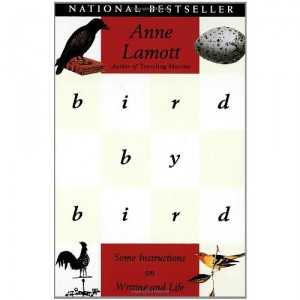 Bird by Bird: Some Instructions on Writing and Life by Anne Lamott is my single favorite resource for writing inspiration. If it’s not already on your shelf, I highly recommend the paperback. She is funny, even neurotic, self-deprecating and wise. I invite you to read or re-read the chapter titled Short Assignments.
Pay special attention to what Lamott calls the one-inch picture frame. She advises students to cut one out of paper or cardboard. Keep it on your desk. She writes: “It reminds me that all I have to do is to write down as much as I can see through a one-inch picture frame. This is all I have to bite off for the time being.”
 Accidental Genius: Using Writing to Generate Your Best Ideas, Insight and Content by Mark Levy. Mark’s book is a brilliant kickstarter for figuring out what you’re really trying to say. He is also an advocate of freewriting and explains exactly how to do it in Part 1: The Six Secrets to Freewriting. My copy is dog-eared. Available in paperback and also for Kindle.
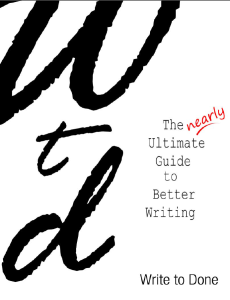 The Nearly Ultimate Guide to Better Writing. This is a 108-page PDF compilation of blog posts from Write to Done: How to Finish What You Start; A Five-Step Plan for Writers; 10 Simple Ways to Double the Speed of Your Writing; 10 Tips for Proofreading Your Own Work and more.
 A Writer’s Coach: The Complete Guide to Writing Strategies That Work by Jack R. Hart. I recently discovered this book. It is marvelous. The first three chapters, on a methodology for the writing process and how to structure your book, are the most useful: Jack was managing editor and writing coach for The (Portland) Oregonian. Paperback and Kindle.
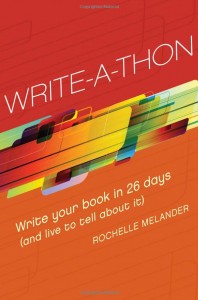 Write-A-Thon: Write Your Book in 26 Days by Rochelle Melander. Filled with practical step-by-steps, using the marathon metaphor of how to train for your book, schedule your writing, and then do it. Paperback and Kindle.
 Author Patti Digh’s PDF manifesto: How to Write a Book. Learn more about Patti at her wonderful site, 37Days.com.
 You Are a Writer: So Start Acting Like One by Jeff Goins. Charming, instructional and inspirational new eBook about what it takes to be a writer in the 21st century. Available for Kindle, Nook and as a PDF.
Essential tools
 Word template with styles built in. Right-click to download this template. Open it, do a Save As (save it as a Word Template) and give it a new name. You can adapt it for your own manuscript by inserting your own chapter and section headings. Note: working with the APE Word template is a bit tricky. I am working on getting you more information on how to get best use out of it for your draft manuscript.
Yes, you should write your book in Word. It’s the easiest format to take to the next step, whether it’s converting your manuscript into a .mobi or epub file, or creating an interior book layout for a print edition.
 Dropbox to back up your Word document in the cloud while you are writing your book. You can access your Dropbox files from any device. This way you will always be working on the latest version of your draft.
 Scrivener is a writing program with more bells and whistles than you can count. It may be overkill for the purposes of a short nonfiction book. However, you may like it as a way to organize your notes and for freewriting in daily bursts. You can export into Word. Here’s a great little summary for how to use Scrivener: How to Write Faster and Get Organized With Scrivener.
I love Scrivener’s built-in word target widget that works both for a daily word count and a total project goal. The widget starts out red, then turns a mustard yellow and then a delightful green when you’ve reached your daily goal.
 Jumbo Stickies (23 X 20) recommended by author Dan Pink for list making, mindmapping, moving post-it notes around and getting your book idea out of your head and onto paper.
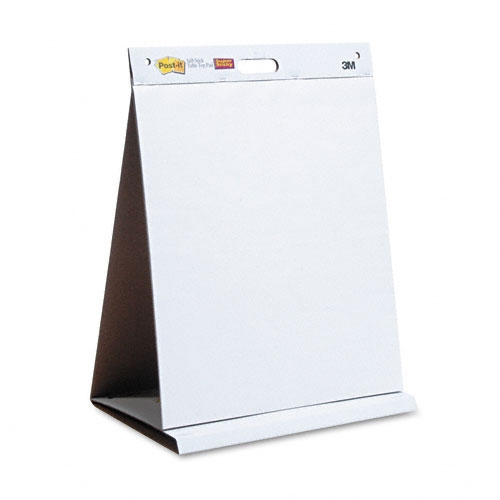 Easel pads (25 X 30) are bigger. I like these better. Several brands available.
 Mindmeister for online mindmapping if you prefer brainstorming this way. Also available for iPhone, Android and iPad.

Evernote syncs across every device and is considered the gold standard for information capture and organization. It enables you to capture, store and organize text and audio files, video, images, scanned documents, etc. If you scribble notes on a napkin, you can take a photo and upload or email to Evernote. You can tag everything and then search later by keyword.
Evernote Essentials: the Definitive Getting Started Guide This is a $29 PDF download and probably worth it. I am still learning how to use Evernote.
From the Evernote blog: How to use Evernote for collecting, brainstorming and organizing
 The recording of the interview with book publicist